Six Things I Built in 2025
Posted on January 1st, 2026.
Something that is important to me is being actively aware of the inputs and outputs of your brain, and the balance between them. With all the technology at our disposal it is remarkably easy to slip into routines where you are constantly consuming content without giving your brain space to think, process, and produce novel thoughts and outputs. One of my main goals for 2025 was to create more. I wasn't sure exactly what that would look like, but given the new tools available it mainly took the form of creating things online. Small things. Simple things. Things I personally wanted that I couldn't find out there.
I've always been an "ideas guy," but without formal computer science education I didn't have the skills to make them happen. I've had numerous false starts trying to learn to code on my own, but all of that exploration set me up well to leverage the AI coding tools that became available this past year. I was technical enough to figure out how to use Cursor and Claude Code to start making some of these ideas a reality. It has been incredibly exciting to personally feel and execute on the mantra you can just do things.
Here are six things I created this past year.
Pace Conversion Calculator
My wife and I run a small, tight-knit running club called the South Hillbillies that we started in 2018. One of my favorite aspects of the club is that it gives me an easy place to flex my creative muscles. I've maintained a web presence for the club at southhillbillies.com, though up until this year it was a very basic single HTML page with links to our Strava club and newsletter.
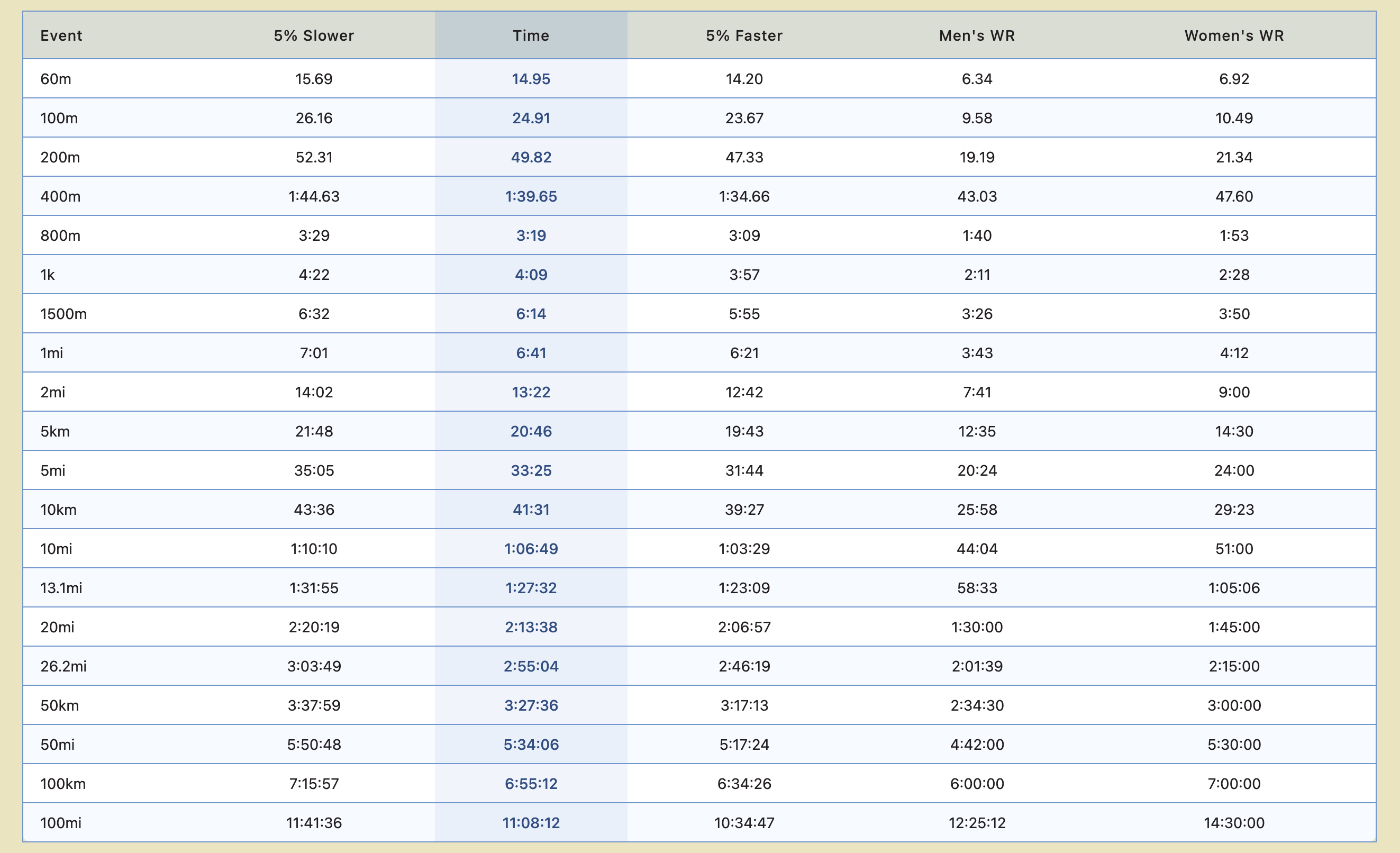
As fairly serious runners and fans of the sport we often find ourselves wanting to see what race times equate to for different distances. I could not find a site that would easily show the calculations we were looking for. Everything out there tries to predict what someone could run at a certain distance based on their performance at another distance. I'm after something much simpler. I saw someone ran a marathon in 2:17 and I want to quickly know what 400m pace would need to be sustained to hit that time.
This felt easy enough that I could handle it, and our mostly unused South Hillbillies site felt like the perfect place to host it. It was an easy one-day project that resulted in a fun little tool we pull up as needed throughout the year.
SpellGarden
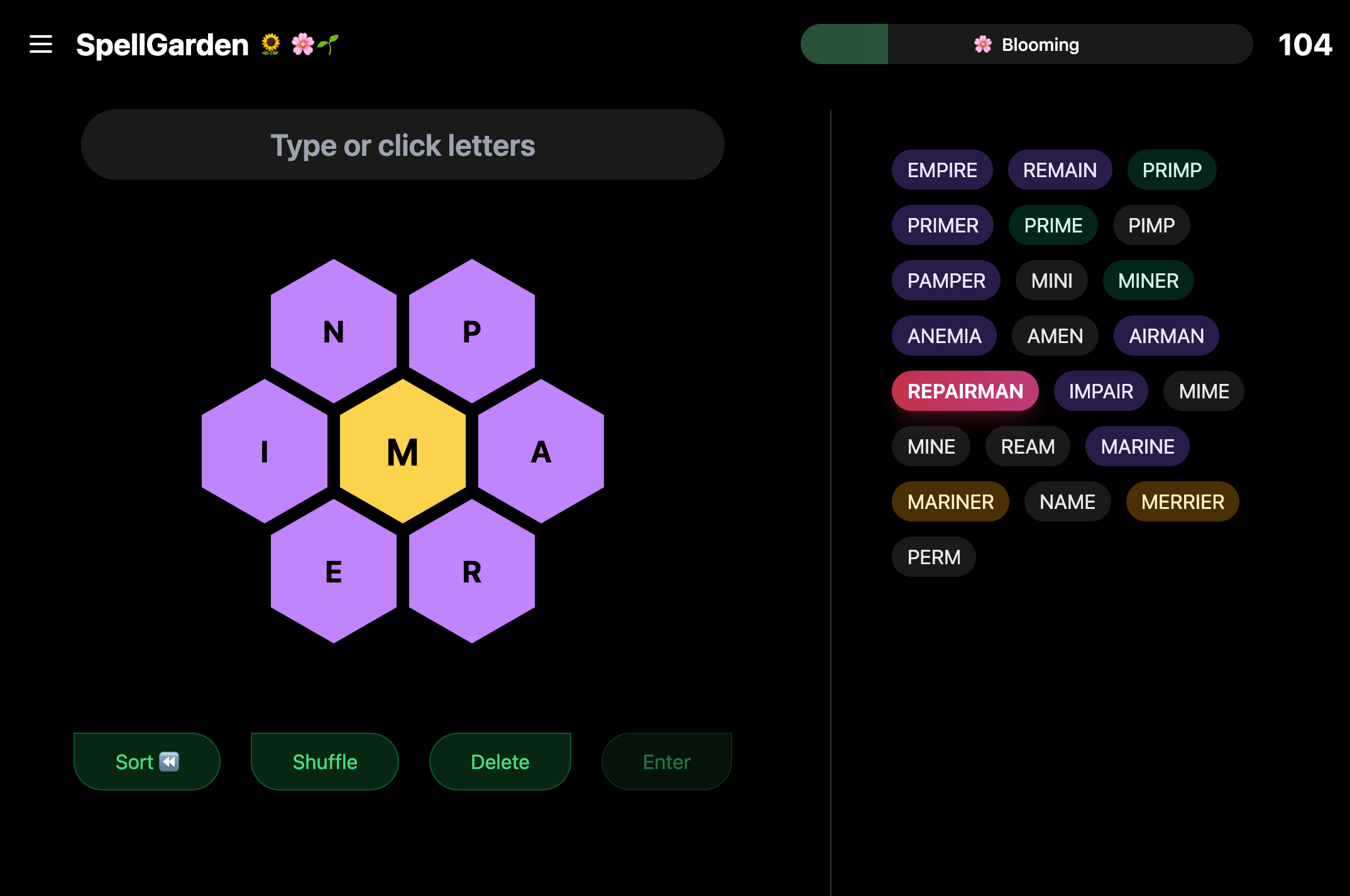
My wife and I like to play the New York Times word games together in the morning before we head off to work. We play Connections, then Wordle, then Strands, and as time permits, Spelling Bee. As we would play Spelling Bee I would constantly complain about features I wished the game had, or UX elements I wished worked differently. So I decided to build my own version.
I didn't want to create a one-to-one remake, so I needed a unique theme. The hexagonal game board looks kind of like a flower, so I decided to call my game SpellGarden with a flower and garden theme. I secured the domain and got to work.
The Dictionary Problem
I quickly ran into an unexpected challenge: the importance and impact of the dictionary you use. One of my complaints with Spelling Bee was the restrictiveness of the NYT dictionary. We would enter tons of things we thought should be words only to see "invalid word" when we clicked submit. I knew I wanted my dictionary to be larger, but quickly realized that a "too large" dictionary negatively impacts gameplay just as much as one that's "too small."
Success on a given puzzle is judged by what percentage of possible words you find. The obscurity of words in your dictionary ends up directly correlating with difficulty. I started with a comprehensive dictionary of 466,000 English words and started building scripts to whittle it down into something usable. I spent a ton of time on this. I ended up creating a separate "dictionary" project where I would experiment with different curation scripts and techniques. It was an interesting problem. I would find myself in the shower thinking about algorithmic filters I could build to keep "good" words and remove "bad" ones.
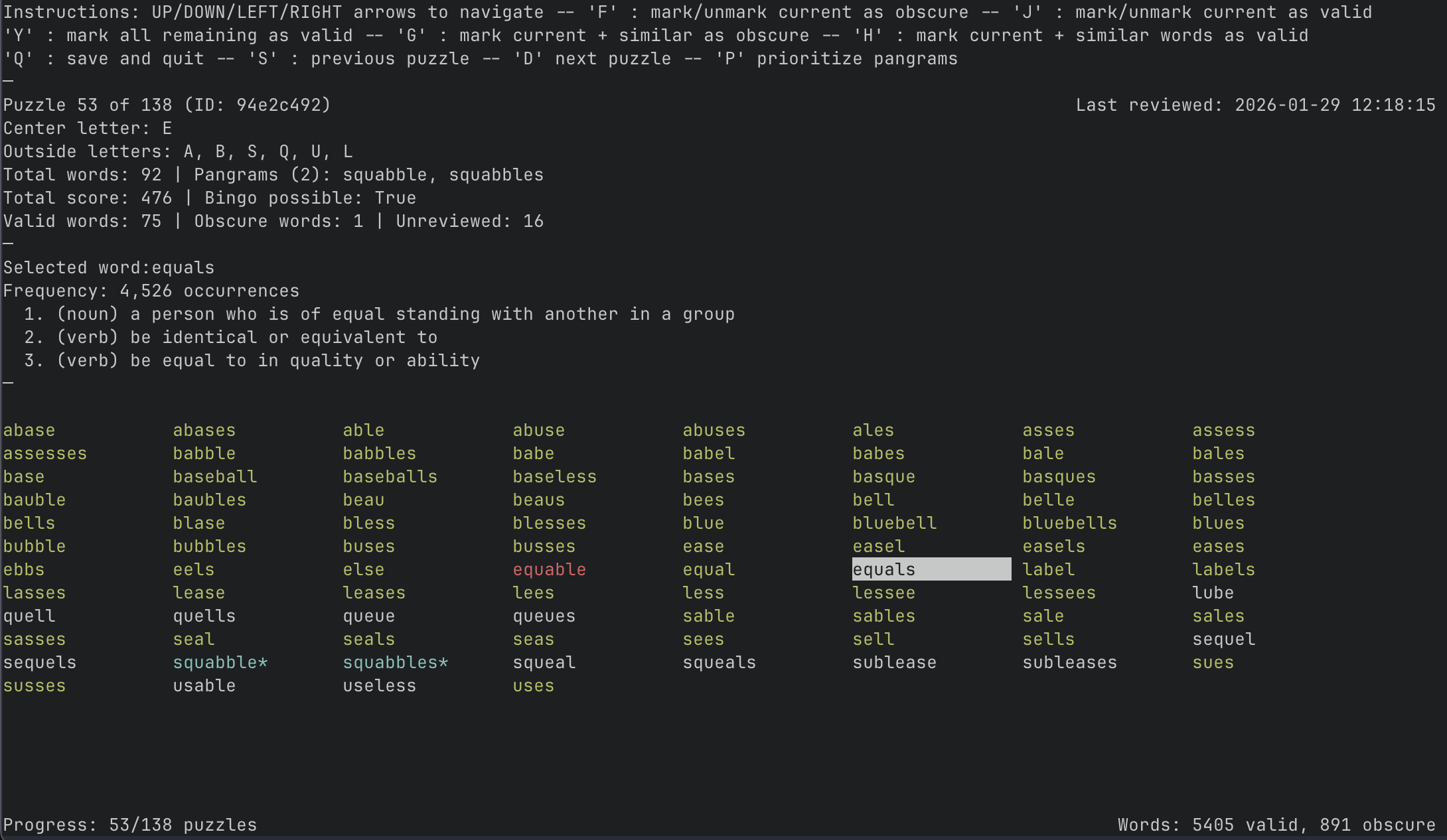
This dictionary project ended up becoming, and still is, larger than the actual SpellGarden project. Unfortunately, I could not get it dialed in without needing to manually review each generated puzzle. My mistake was not looking harder for a more refined starting point. Sitting there waiting for me on GitHub were a number of open-source English dictionaries curated specifically for word games. I found one with roughly 90,000 words that I could feed through some of my lighter refinement scripts to create a really solid dictionary for my game.
All of my earlier dictionary work wasn't wasted though. I had built robust puzzle generation tooling, including a terminal-based puzzle review tool where I could quickly flag words as good or bad in a persistent way across all puzzles. This really helped dial in the dictionary to my specific preferences without being too manual on an ongoing basis.
Dogfooding
Establishing a solid dictionary and puzzle generation system was honestly the biggest challenge of this project. The game itself is quite simple, so I could focus on the quality-of-life improvements I've always wished for when playing NYT's version. Playing the game every day with my wife (or dogfooding, as it's called in the biz) gave me a great feedback loop.
A good example: originally I didn't build anything to track your progress on a given day's puzzle. I wanted to keep things simple and just get it working. But anytime you refreshed the page, you lost all your found words. That made it really hard to play for a bit and come back later.
So I started storing the game state in the browser's local storage, which was a huge improvement. You could come back on that device and all your stuff would be there. But then we realized sometimes we would play in the morning at breakfast, then my wife would want to pick it back up at lunch on her phone. Local storage doesn't transfer between devices, so she'd open it up and be back to zero.
Then I went down the path of building an actual account system. This is something that at face value seems easy, but once you try to implement it you realize how involved it actually is; standing up a database, building authentication, syncing state. It was a great learning experience, and now we have a cool little app that we play every day.
DailyYolk
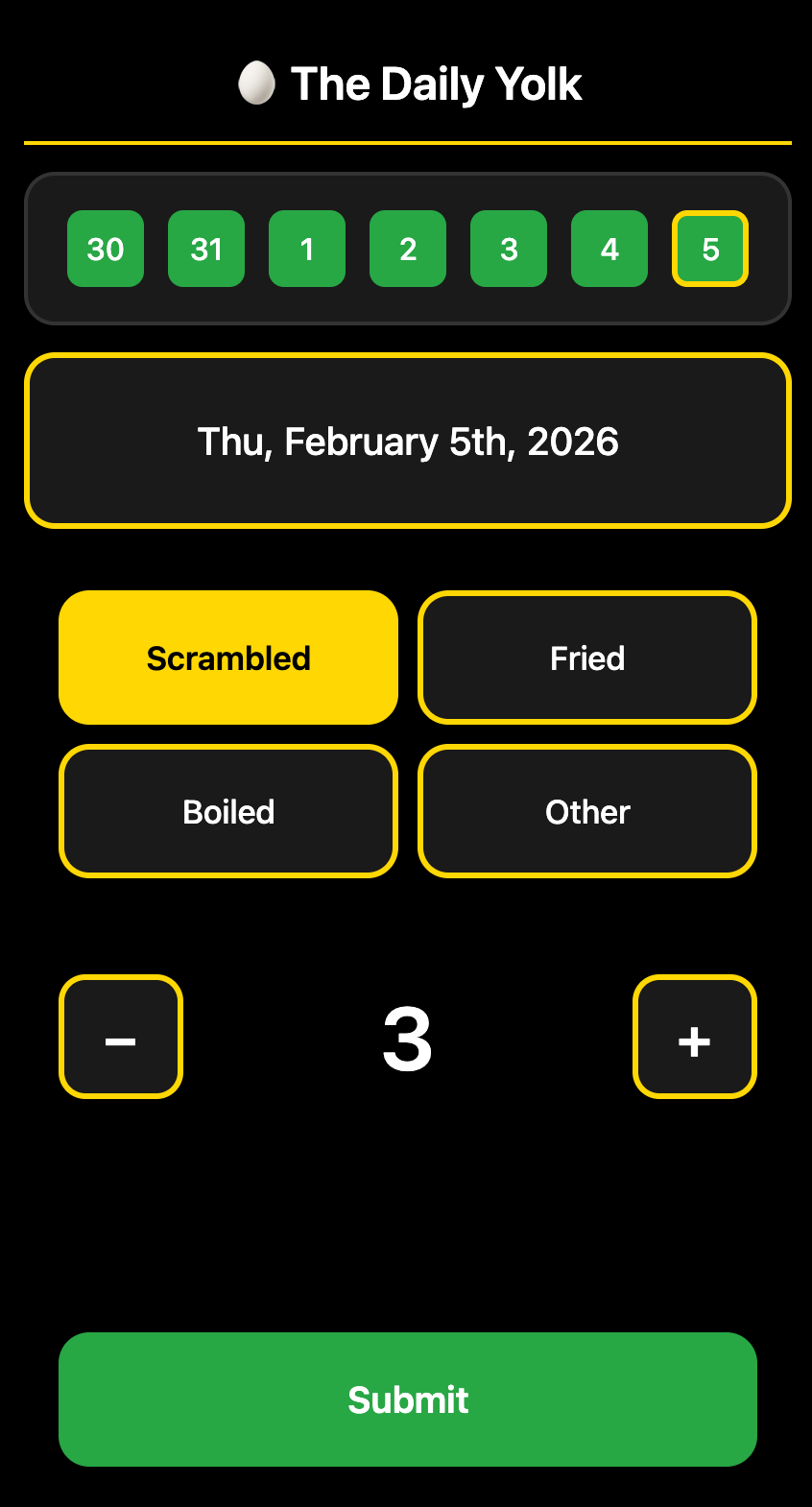
I honestly can't recall how or why I started doing this, but a couple years ago I started tracking how many eggs I was eating. It was an inside joke with friends, just something fun. I created a Google Form that asked for the date, preparation style, and number of eggs. I bookmarked it on my phone's home screen, and every day when I'd eat eggs, which I do every day for lunch, I would open the form, fill it out, and submit.
It worked fine, but it wasn't a great experience. The link pulled up a pre-filled form with my normal selections, but you had to manually type in the date since there was no good way to get a calendar picker. And if I wanted to change the number of eggs, I had to pull up the keyboard, delete, retype. I thought there had to be a way to make this cleaner.
In less than an hour, I threw together a simple one-page site that was a perfectly crafted input panel with a touchscreen-friendly interface: plus and minus buttons for the egg count, a calendar pop-up for the date, and it connects directly to the same Google Sheet where the form had been collecting data. No database needed.
I also added a little view at the top that shows the past week and whether eggs were logged on those days. So when I open it, I can quickly see if I missed a day. It's something I pull up and use almost every single day, and I now get way more joy out of it because it's beautifully, perfectly curated for the task at hand.
The "Goods" Page
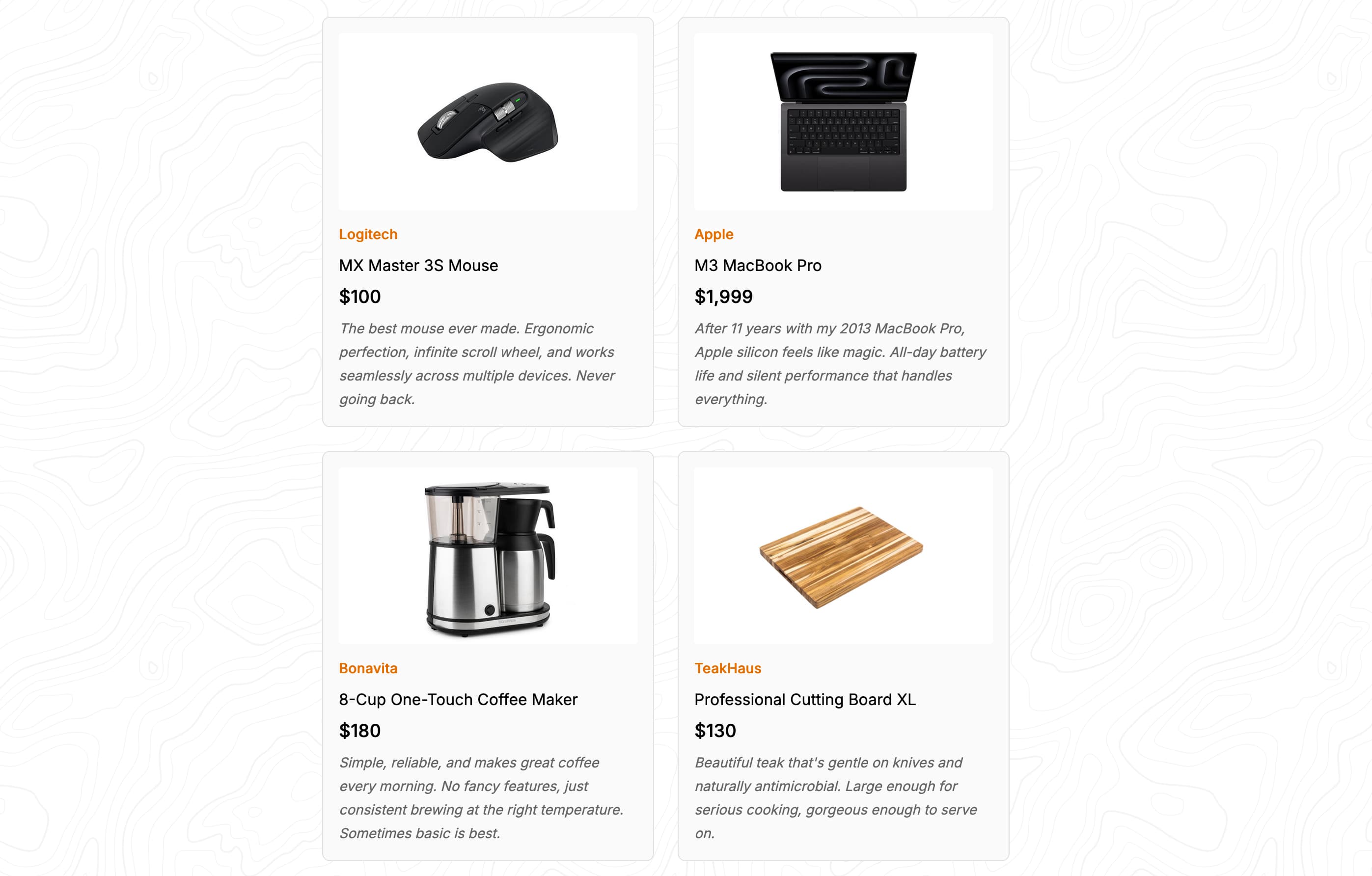
I rebuilt my personal site not too long ago and have been tweaking it to add things I think are fun to have. One thing that I really enjoy is researching products. Finding the right thing for my needs, going deep on reviews and comparisons. I came across another person's site that had a "Goods" page showing off products they use and stand by, and I loved the idea.
I wanted my own hall of fame of products: things I use extensively, things where if mine broke I would go out that day and get another one. Using Claude Code and Cursor, I was able to quickly stand up the page structure. The main effort was creating the actual content; selecting items, taking photos, writing descriptions, adding links. But now I have a fun little page that says, "Here are things I really stand by and wouldn't hesitate to recommend."
Product Pitch Roulette
I work in product management, and our team had an on-site that I helped plan. Our VP wanted us to do some sort of team-building activity. On first glance, having to do some dumb team building activity is an absolute nightmare situation. So I was happy to take it on and try to make it actually fun.
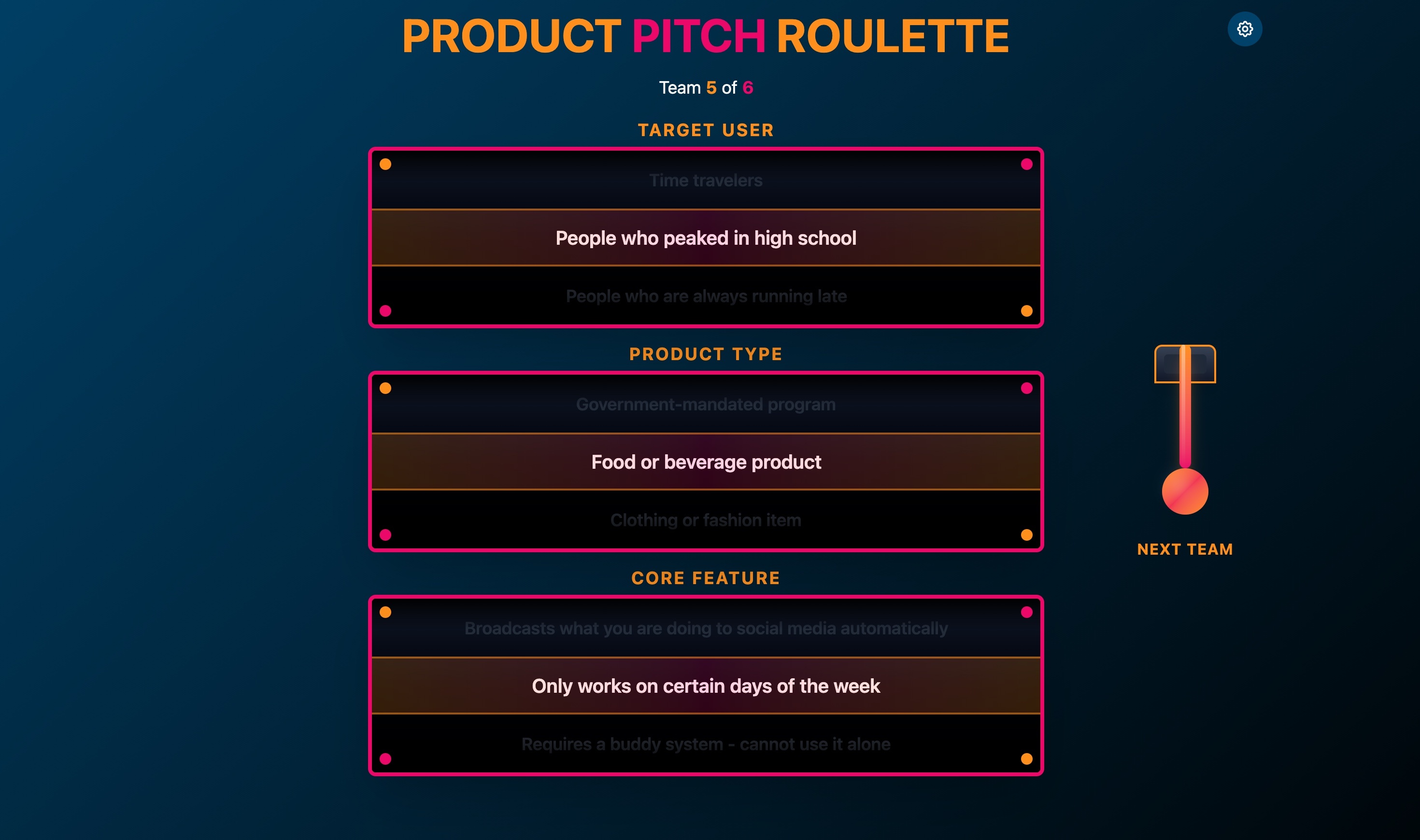
The idea I landed on was a product pitch roulette. Teams would spin a wheel and get three things: a customer type, a product category, and a weird constraint. I crafted these to create interesting, funny, occasionally absurd combinations. They'd have about 20 minutes to build a pitch, then present Shark Tank–style for our VP to judge.
I was not happy with the randomization wheels I could find online. Plenty of tools let you spin a wheel with options, but you could only have one set of things at a time. I'd need three separate wheels, and the whole thing felt clunky. So I built a single-page site that looked like a slot machine. You pull the lever, it spins, and you get your three things. I did it in our company branding and colors, and it took me about an afternoon.
Did people appreciate it for the level of work that went into it? Probably not. But once again, not the point. It was fun to build, it was exactly what I needed, and it made the activity feel polished.
Goat Path
Our running club has an annual event called Le Tour de South Hillbillies where we run between members' houses and stop for a beer at each one. It's something everybody looks forward to. This year I wanted to do something special to address a persistent challenge: with 5 to 10 houses and 7 to 15 miles of running, it's an all-day affair, and people often want to join partway through. But we're a moving target.
In the past I just shared my location in Google Maps. It worked, but it lacked context. You could see I was at a house, but you couldn't tell did we just get there? Are we about to leave? Do you come here or head to the next stop?
In the week before the event I threw together a web app I called the Goat Path. I styled it after a subway arrival board. We (the group running house to house) are the train, and the app shows you what stop we're at or where we're heading. I put it live at a simple URL anyone could visit. On my phone, I could log into an admin portal to update our position in real time.
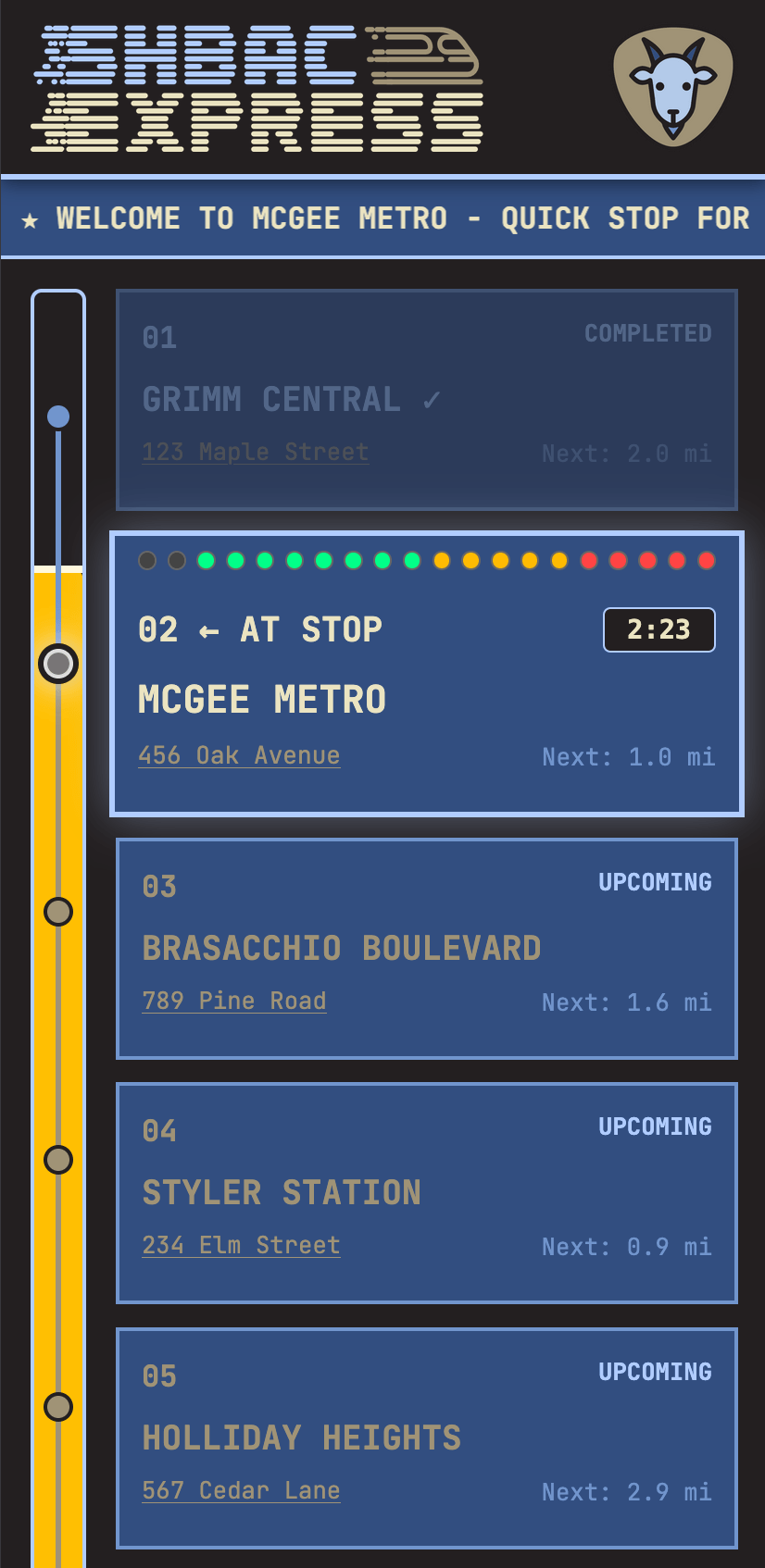
It would show us at a stop with a timer of how long we'd been there (we targeted 20 minutes per stop, so you could see how close we were to leaving). When we were running between stops, it showed a little animation with fun messages. I stuffed it with easter eggs: a beer-styled meter emptying as we progressed through the route, and, my favorite touch, I used AI to generate progressively more intoxicated versions of our goat logo, so as we moved through stops, the goat got drunker and drunker in the header.

People really enjoyed it. Was it way more work than the actual utility justified? Absolutely. But that's kind of the whole point of this post. These tools (Claude Code, Cursor, Replit, etc.) are good enough now that if you care a little and are willing to spend a little time, you can make what is basically a single-use app. We used it for one day. Maybe we'll use it for the event next year, maybe not. But the joy of making it was the reason I did it. I don't really care about the outcome too much.
What I Took Away From All of This
Hopefully it comes through in these stories, but the most important thing is that none of these were done to make money or be a commercial success. The point is that the technology is at the point where you can use these tools to make silly little one-off apps, sites, and projects for things you'd like to have or use.
There is never going to be a product that accomplishes what I wanted with the Goat Path app. There's no business there. It doesn't make sense as a product. But I wanted it for our little club, and I was able to make something that exactly fulfilled my needs in a way no public app ever would.
I think the instinct to search for existing tools is still the right first step in most cases. But increasingly the answer is going to be: I can just build something myself that does exactly what I want, instead of settling for a partial fit.
The other takeaway is about the tools themselves. Without AI tools, I could not do most, if not all, of these things. I'm not formally trained in software development, so I just didn't have the skill set. These projects weren't even on my radar as possibilities before. I might be somewhat unique in sitting perfectly in that sweet spot of not technical, but know enough to poke around and kick the tires. The fun of making these things is hard to overstate. Building something from scratch on your own, even with a lot of help from these tools, is just a really satisfying experience.
I think my year is a good example of what's possible now. You can build single-use apps, fun side projects, little tools that make your life or someone else's a tiny bit better, and you can do it in an afternoon. If you've got ideas, try it.